Imagine you are sitting at the kitchen bench on a work from home day, trying to juggle a massive spreadsheet, three browser tabs, and a Zoom chat on a single 13-inch laptop screen. By the third hour, you are squinting, your neck hurts, and you are distracted from the task at hand. A solution for this is a portable second monitor, they’ve been around for years but the cost can feel somewhat excessive being upwards of $300.
Australian consumer electronics company Laser has provided an option that is far more affordable with an ultra-lightweight fourteen-inch portable monitor that shifts secondary screens from an expensive corporate statement into a tool that anyone can slip into their bag.
Why Does This Screen Exist?
Laser has built a four-decade reputation in Australia by seemingly tracking down trending, high-end technology concepts and redesigning them to fit everyday household budgets. This latest release targets a massive shift in how we live and work with what is basically the rise of the truly fluid workspace.
With nearly half of the domestic workforce now operating remotely at least some of the time, our offices have moved to kitchen tables, airport lounges, and local cafés. Our physical desks have shrunk, but our multitasking needs have not. People desperately want the efficiency of a dual-screen setup on the move, they do not want to carry a heavy, fragile piece of glass that requires a tangled mess of proprietary power adapters.
To give users options, the local brand has introduced three distinct models to the market:
- Laser 14” Portable Monitor (PC-14PTMB-004): The entry-level model, currently on a launch special for $99 (usually $149).
- Laser 15.6” Portable Monitor (Non-Touch): A slightly larger standard option priced at $129 (usually $169).
- Laser 15.6” Portable Monitor with Touch Screen: The advanced version featuring full touch navigation for $159 (usually $199).
How It Performs Day-to-Day
Unboxing the fourteen-inch model reveals a surprisingly generous package. You receive the flat screen, a user manual, a mini-HDMI to standard HDMI cable, and a high-quality USB-C cable.
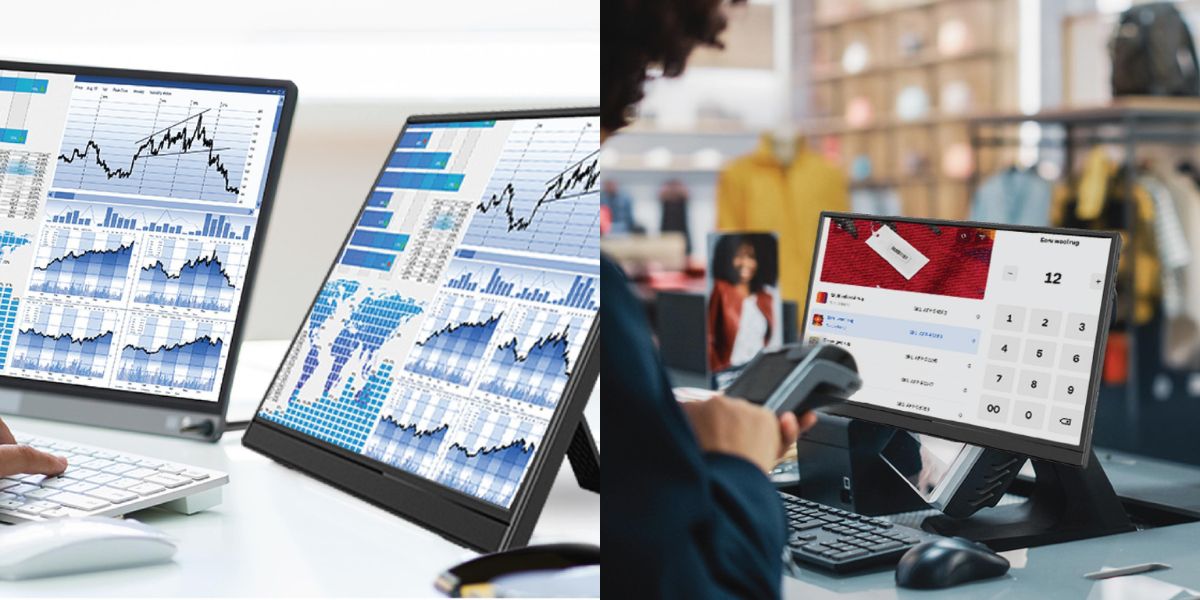
The real blessing here is the single-cable simplicity. If you own a modern laptop, tablet, or smartphone that supports video output via its USB-C port, you simply plug one end of the cord into your computer and the other into the display. The screen powers on instantly, drawing all its operating energy directly from your host device. There is no need to hunt for an extra wall socket or carry a bulky power brick.
This is a great tool for your general work but also has some other real-world bonus applications. Like popping a movie on in the back seat of the car on a long road trip with the kids. It’s easy to hang as it’s super light and the screen is a nice size for viewing shows and movies.
The Strengths
For a device sitting under the hundred-dollar mark, the visual quality is a genuine pleasant surprise. The panel utilizes IPS screen technology running a crisp Full High Definition resolution (1920 x 1200 pixels). The choice of a 16:10 aspect ratio provides a little extra vertical space, which makes reading lengthy documents or tracking long spreadsheets much more comfortable. Because it is an IPS display, the viewing angles are excellent, you can tilt the monitor backward or share your view with a colleague sitting nearby without the contrast washing out. An integrated kickstand also allows you to prop the unit up horizontally or I like to lean it upright to get a portrait verticle view.
The Weaknesses
The display brightness tops out at 250 nits. This is perfectly adequate for an office, a café, or an airplane tray table, but it will struggle against direct outdoor sunlight. and the built-in dual speakers are quite thin and lacking in bass; they are completely fine for a quick video call, but you will definitely want to keep your headphones handy for music or streaming media.
How Does It Stack Up Against the Market?
The portable monitor landscape is generally split into two distinct tiers. On the high end, some brands offer beautiful aluminium builds and glossy glass finishes, but they will easily cost you anywhere from $400 to $500. On the budget end, you are usually left navigating online marketplaces filled with unknown imports that lack local consumer support.
Laser has carved out a highly practical middle ground. It does not try to look like a luxury fashion accessory. It is a pure utility tool. It easilly handles the exact same tasks as the more expensive models for a fraction of the cost, backed by a traditional twelve-month warranty and local customer service. Spending time with this screen makes you realize that when you are focused on getting your work done, the massive price difference remaining in your bank account feels much better than an aluminium frame and if you do happen to lose it or damage during rugged travel, its a much better price point to replace it.
The Final Verdict
Verdict: Recommended
The Laser 14-inch Portable Monitor is an absolute bargain at its $99 launch price, and it remains a highly competitive option even at its standard $149 retail price. It successfully opens up a piece of technology that previously felt like an expensive luxury to everyday students, remote workers, and families. If you treat the lightweight plastic housing with a reasonable amount of care, this simple device will quickly become one of the most useful accessories in your daily travel kit. Grab one at the The Good Guys, Harvey Norman, Bing Lee